We are the #1 FLIR DISTRIBUTOR in Australia for INFRARED CAMERA SALES in 2024, and also for our after sales services, support and training.
*Source: Flir Australia - September 2024

The industry standard for electrical scanning is 320 × 240 pixels and above. It’s the most important spec when you choose a camera for electrical work, and every camera on this page meets it.
A thermal camera shows the heat you can’t see in an electrical system: loose connections, overloaded circuits and failing parts, before they cause damage.
Most electrical faults come down to too much current or too much resistance. Both turn electrical energy into unwanted heat, and undersized conductors, loose connections or overloaded circuits can run hot enough to melt components. Scan with the system running under normal load, and a thermal image shows the problem early, while it’s still a cheap fix.

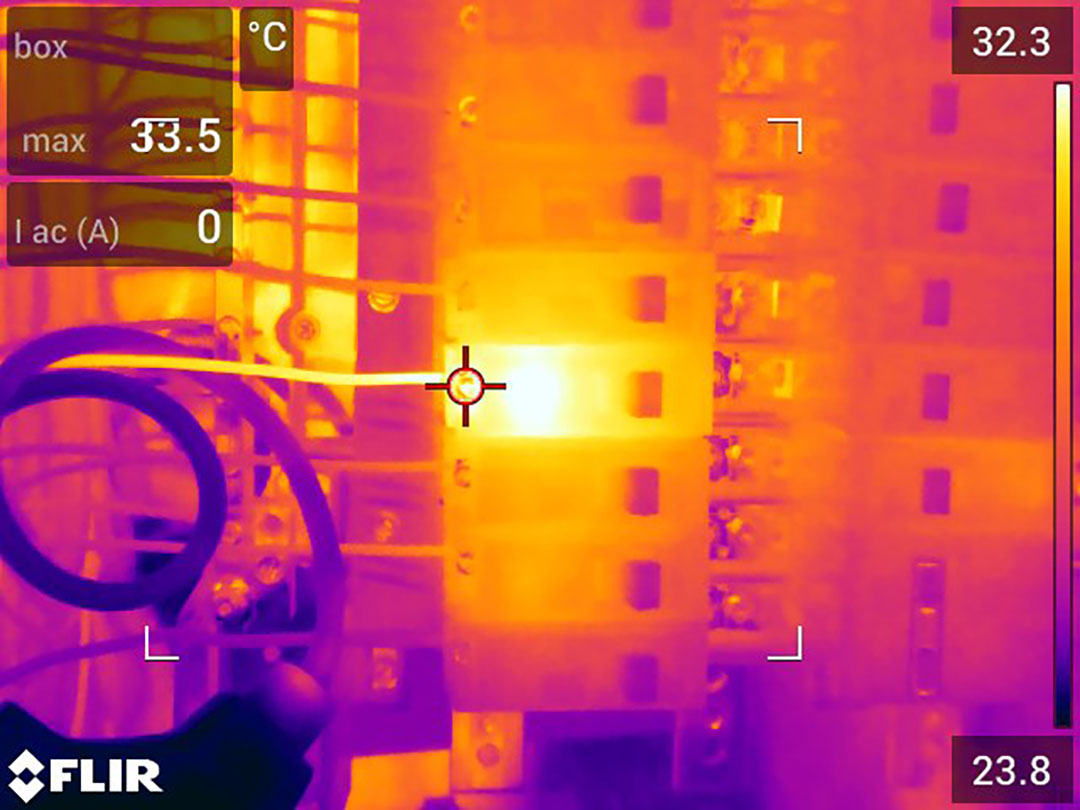
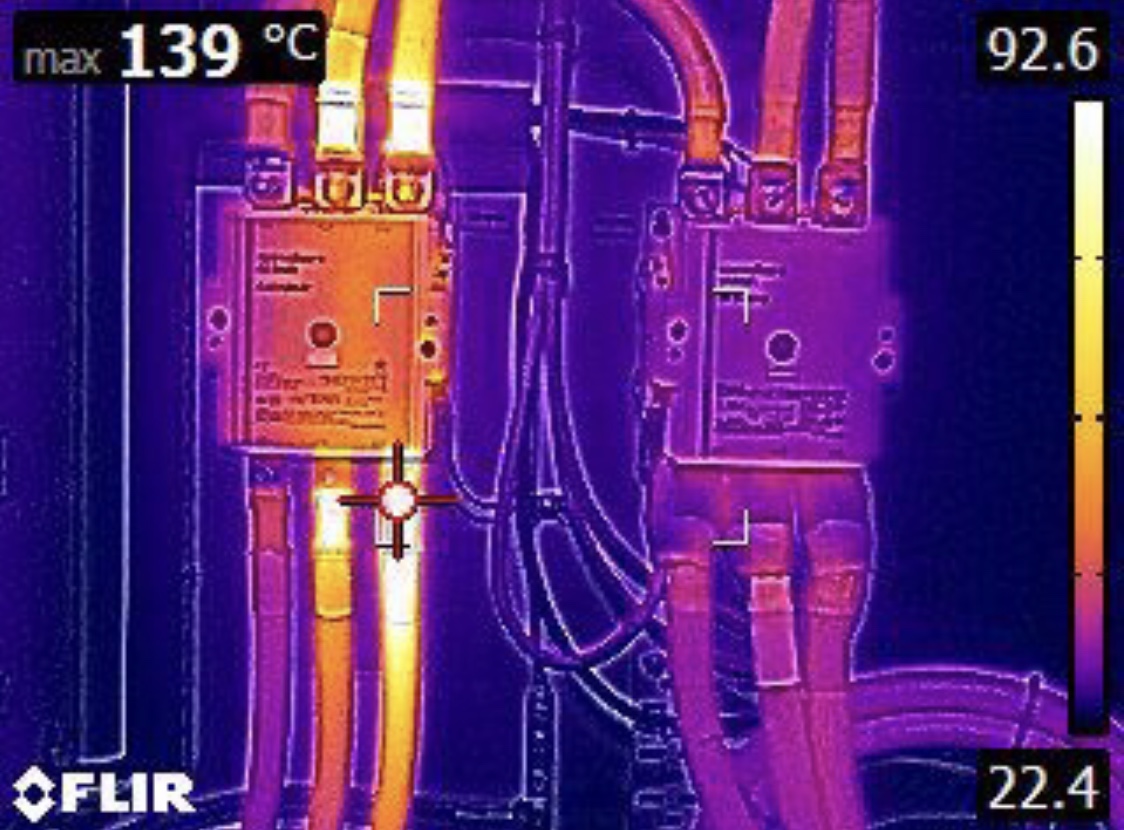
Loose connections, undersized conductors and overloaded circuits all run hot before they fail. A thermal camera shows that heat while the board is live and under load.
A 42° wide-angle lens takes in a whole board from close up, and a 24° lens picks out single breakers from further back.
For large commercial and industrial sites, and contractors scanning boards every day.
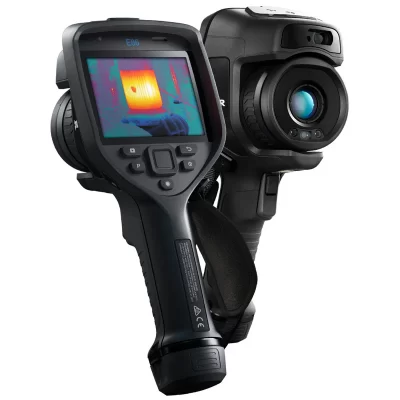 FLIR E86 FlexViewBoards of every size. One button switches between a 24° view and a 14° close-up, with no lens change.464 × 348 · FlexView 24° + 14° · 30 mK · up to 1,500°C$19,495.00 ex. GSTView
 FLIR i64High-detail switchboard reports in SwitchReport.640 × 480 · up to 550°C Original price was: $12,495.00.$11,870.25Current price is: $11,870.25. ex. GSTView
 FLIR E76Wide-angle switchboard scanning, and reports on a Thermal Studio template.320 × 240 · 42° lens · up to 650°C$11,495.00 ex. GSTView
For regular commercial switchboard work and reporting.
 FLIR E54Narrow switchboard scanning from further back, and reports on a Thermal Studio template.320 × 240 · 24° lens · up to 650°C$8,495.00 ex. GSTViewFLIR i34Switchboard reports in SwitchReport.320 × 240 · up to 450°C Original price was: $6,995.00.$6,645.25Current price is: $6,645.25. ex. GSTView
 FLIR E8 ProSwitchboard reports on a Thermal Studio template.320 × 240 · 33° lens · up to 550°C Original price was: $5,350.00.$4,995.00Current price is: $4,995.00. ex. GSTView
For occasional checks, or a camera that’s always in your pocket.
Finding the fault is half the job. The report is what your customer reads, and insurance companies currently expect thermal scanning on insured industrial, commercial and residential property as part of general maintenance.
If you send thermal reports to clients, they should look like they came from your business. There are two ways we can set that up, depending on where you write your reports: on your computer in FLIR Thermal Studio Pro, or on a FLIR iXX camera with SwitchReport.

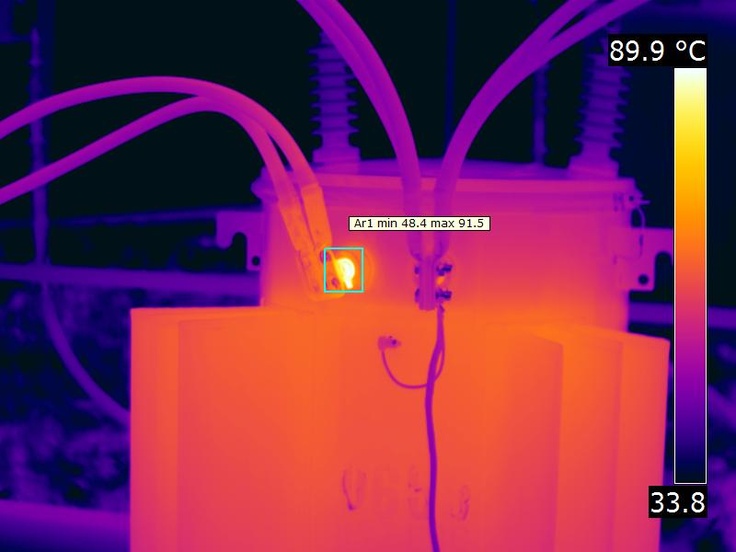
This work is usually done from the ground, at a safe distance and often in full sun. The FLIR T865 and T560 are built for it.
The T865, T560 and E96 all meet it.
All three give 640 × 480 detail, so a small hot connection still shows from a distance. One button switches to the 14° telephoto view for a closer look at a pole or a transformer, with no lens change, and the rotating lens block on the T865 and T560 lets you aim up at the lines and still see the screen. The T865 adds a viewfinder, so the image stays clear in bright sun.
 FLIR T865 FlexViewPower lines, transformers and substations, even in full sun.640 × 480 · FlexView 24° + 14° · viewfinder · up to 2,000°C$51,495.00 ex. GSTView
 FLIR T560 FlexViewPower lines, transformers, substations and high-voltage yards.640 × 480 · FlexView 24° + 14° · rotating lens · up to 1,500°C$39,195.00 ex. GSTView
 FLIR E96 FlexViewHigh-volume electrical and industrial work.640 × 480 · FlexView 24° + 14° · up to 1,500°C$23,595.00 ex. GSTView

A defective cell runs hotter than the cells around it, so a scan finds the faulty panel while the system is running, without testing each panel by hand.
Tell us about your solar work and we’ll recommend the right camera.
Bret Jones, Certified Thermographer, has over 30 years’ experience in camera selection, training and switchboard reporting. Not sure which camera fits your work? Talk to Bret first.