
SwitchReport on the FLIR i64
SwitchReport runs on the FLIR i64 and turns your switchboard scans into a finished thermography report. Each board is graded as you scan it, and the report wording is drafted for you to approve.
3 hours to 30 minutes, for a 50-board report on SwitchReport Plus.
Scan and grade on the camera
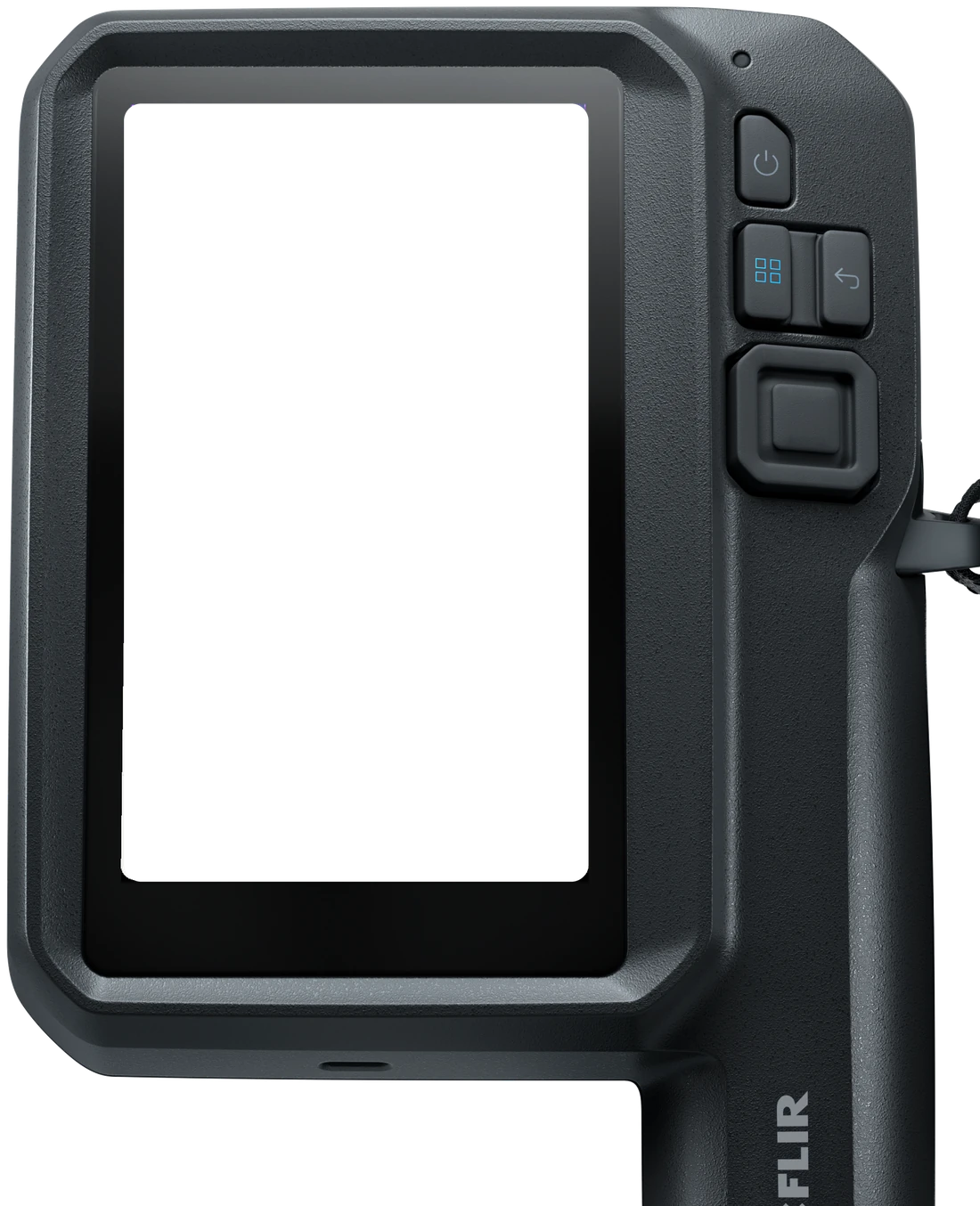
Set up customers, sites and the directory on the camera. The priority, P1 to P4, comes up on screen as you capture each board.
Drafted for you to approve
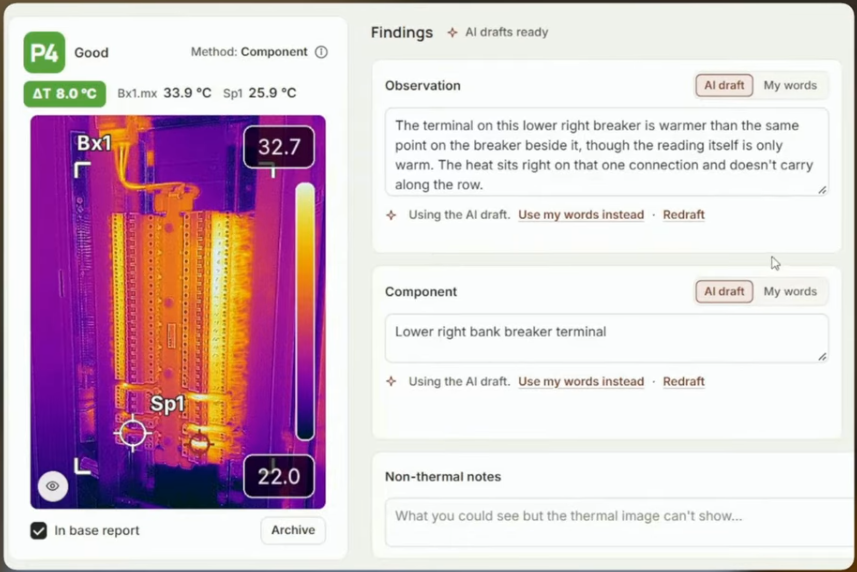
On Plus, AI drafts the board description, the component and the observation. You approve each line. AI never sets a priority.
A report your client can follow
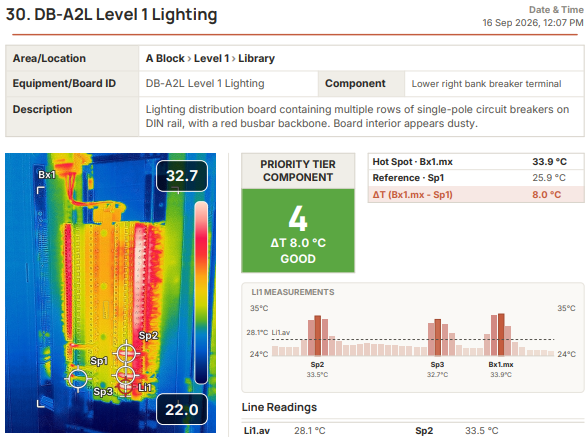
A priority-coded PDF with your logo, a findings summary and the priority table every finding was graded against.
On the camera…
Add your details
Enter your business details once, and every report carries them. The camera fills in its own model and serial number, so you only add the calibration date.
Add your thermographer
Add your thermographer’s credentials once: name, role, category, certifying body and certificate number. Every report carries them from then on.

Create your customers
Add a customer and their contact person right on the camera. Once the camera syncs, the same customer is there when you open SwitchReport in your browser.

Enter unlimited sites
Give each customer as many sites as they have, each with its own address. Every inspection you start is filed under the right one.

Smart directories
Build the inspection directory on the go, with buildings, levels and rooms. Single clicks do the structuring so you work faster, and different site types get their own unique options.

Graded before you move on
The priority lands on the capture screen with the reading that produced it. You name the board and keep going, and the grading is already done.

Your inspection snapshot
Always know where you’re up to. At any time during the inspection you can see your directory, what’s scanned into where, and its priority code.

On the web…
Stop typing, just edit
AI drafting for the board description, the component and the thermal observation. You don’t spend the time typing, you spend it approving.
Analysis that makes sense
Your findings laid out the way your customer reads them: every board, where it is, its measured ΔT and its priority. Nothing padding the page.
Camera and subscription together
SwitchReport packages
Each package pairs a FLIR app-enabled camera with a year of SwitchReport Plus, so you can scan, grade and finish reports from day one.
SwitchReport package
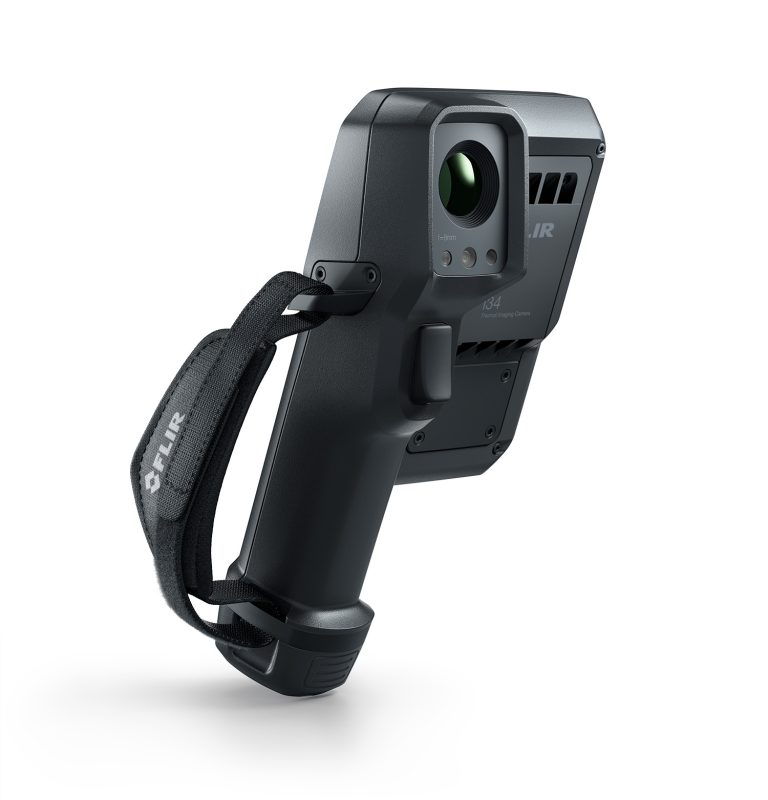
FLIR i34 SwitchReport package
The i34 is the way in to SwitchReport. It gives you a 240 × 320 thermal image on a 5-inch touchscreen, and SwitchReport runs on the camera itself, so you build the directory, scan and grade each board on site.
- FLIR i34 app-enabled thermal camera
- SwitchReport Plus, 12-month subscription
240 × 320 IR · 40 mK · −20 to 450 °C · 5-inch touchscreen
SwitchReport package
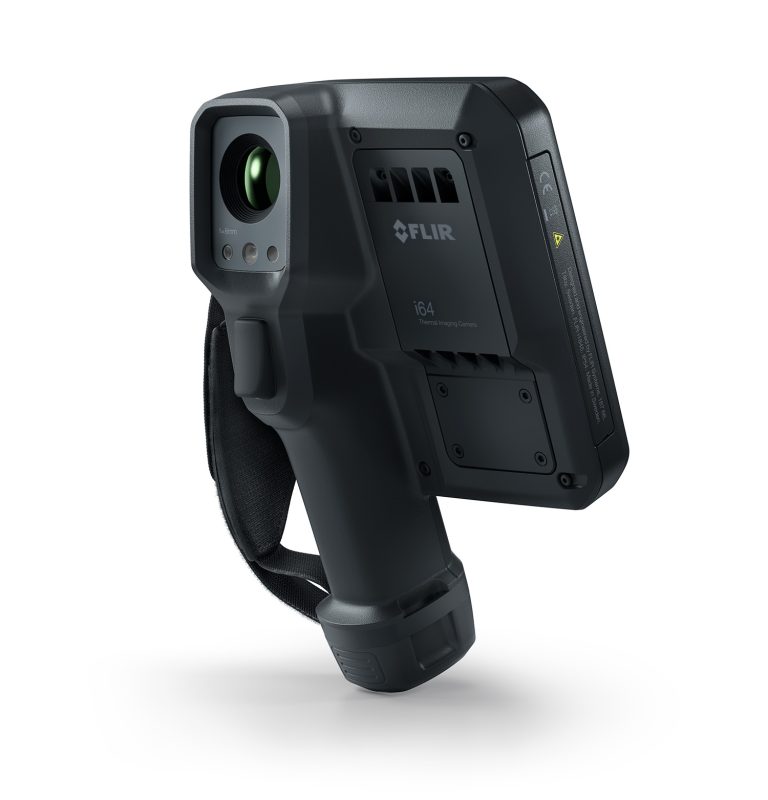
FLIR i64 SwitchReport package
The i64 has four times the pixels of the i34, at 480 × 640, so every finding in the report carries more detail. It suits bigger sites, boards you scan from further back and businesses where thermography is a large part of the work.
- FLIR i64 app-enabled thermal camera
- SwitchReport Plus, 12-month subscription
480 × 640 IR · 40 mK · −20 to 550 °C · 5-inch touchscreen
Your report, matched to your own documents
SwitchReport’s bespoke add-on rebuilds your report so it matches the documents you already use, in your own layout. It’s for Plus subscribers, quoted per document set, and includes one free revision a year.
What you need: a FLIR i34, i35, i64 or i65 and a SwitchReport subscription. We sell all four cameras, each with free training.
See SwitchReport and its plansShop the iXX cameras
Using SwitchReport doesn’t make a report compliant with any standard. Check the priority coding meets what your client or insurer needs before you send a report.
FLIR i64 App-Enabled Thermal Camera
The i64 App-Enabled thermal cameras with 480 x 640 pixel resolution are designed to transform thermal inspections into guided, connected, and fully integrated workflows. Powered by app-based intelligence, they help you capture consistent, high-quality data, share it instantly, and act on it—whether you’re troubleshooting a single asset or scaling inspections across multiple sites.
The i64 App-Enabled thermal camera introduces a new generation of app-enabled thermal cameras engineered to streamline inspections—making them faster, more intuitive, and consistently reliable across all experience levels. Whether you’re a seasoned thermographer or just beginning with thermal imaging, iXX cameras simplify every stage: from capturing accurate data to instant sharing and generating actionable insights.
Powered by the Flir Ace platform, the i34/i35 and i64/i65 models integrate seamlessly with applications developed by Flir, third-party partners, and customers themselves—ensuring your camera adapts as your inspection requirements evolve.
CONDITION MONITORING
Improve asset reliability and avoid costly downtime with app-guided inspections that anyone can follow. The i64 App-Enabled thermal camera allows users to capture thermal images with accurate Delta T measurements, compare the data to baseline readings, and detect changes before they become failures. With automatic uploads to our FLIR apps, Assetlink™ and Ignite™, you can track asset trends, generate work orders, and integrate results with your Computerized Maintenance Management System (CMMS)—without ever leaving the field.
ELECTRICAL/POWER GENERATION INSPECTION
Meet minimum requirements with vivid 480 x 640 pixel thermal resolution. Reduce your safety risks and improve decision-making with high-resolution thermal imaging, glove-friendly controls, and wide fields of view—ideal for inspecting energized equipment through IR windows. Use the Meterlink app to capture load, voltage, and other electrical measurements alongside thermal data, giving you the complete context to prioritize repairs and prevent outages.
BUILDING INSPECTION
Streamline building diagnostics with workflows designed for HVAC performance checks, water damage assessment, and energy loss surveys. On-camera routing ensures consistency across inspections, while instant fault analysis helps you make confident recommendations on-site. Data is securely transferred to your cloud or asset management platform, so reports and insights are ready to share before you leave the job.
Key Features
The i64 App-Enabled thermal camera offers app-based functionality that empowers maintenance personnel of all experience levels to conduct efficient and secure inspections. Its intuitive design ensures accessibility and consistency across teams. Select models (i35 and i65) feature direct cloud integration via Wi-Fi or LTE, enabling seamless connectivity with Flir Ignite™ or Assetlink. This allows for immediate data upload, organization, sharing, and streamlined reporting and analysis. Thermal imaging is delivered with exceptional clarity, offering up to 480 × 640 resolution (i64/65). FLIR’s patented MSX® enhancement overlays visible details onto thermal images, accelerating the identification of issues and improving diagnostic accuracy.
Main Applications
These cameras are ideal for electrical and mechanical inspections in industrial and utility settings, helping teams detect faults early and minimize operational downtime. They also support enterprise-level condition monitoring programs, offering asset hierarchy management, cloud-based data handling, and collaborative workflows across teams. In building diagnostics and facility maintenance, the i64 App-Enabled thermal camera excels at identifying moisture intrusion, evaluating HVAC performance, and assessing energy loss—making it a versatile tool for comprehensive infrastructure analysis.
Intelligent Condition Monitoring
Enhance asset reliability and minimize unplanned downtime with intuitive, app-guided inspections that are accessible to users at any skill level. The i64 App-Enabled thermal camera empowers teams to capture precise thermal images, including accurate Delta T measurements, and compare them against baseline data to identify emerging issues before they escalate into failures.
With automatic uploads to FLIR’s Assetlink™ and Ignite™ platforms, users can monitor asset performance trends, initiate work orders, and seamlessly integrate inspection results into their Computerized Maintenance Management System (CMMS)—all without leaving the field


Industry-Specific Problem Solving
Enabled on camera through the Apps feature, i64 App-Enabled thermal camera offer a range of FLIR-built and 3rd party apps that open up a world of possibilities in terms of problem solving. Explore the apps created by our developer partners to see how they can solve your problems, load an existing app you use every day, or connect with FLIR to tailor-make one of your own.